
Xenex Studio · Broadcaster
Scene
by Xenexstudio
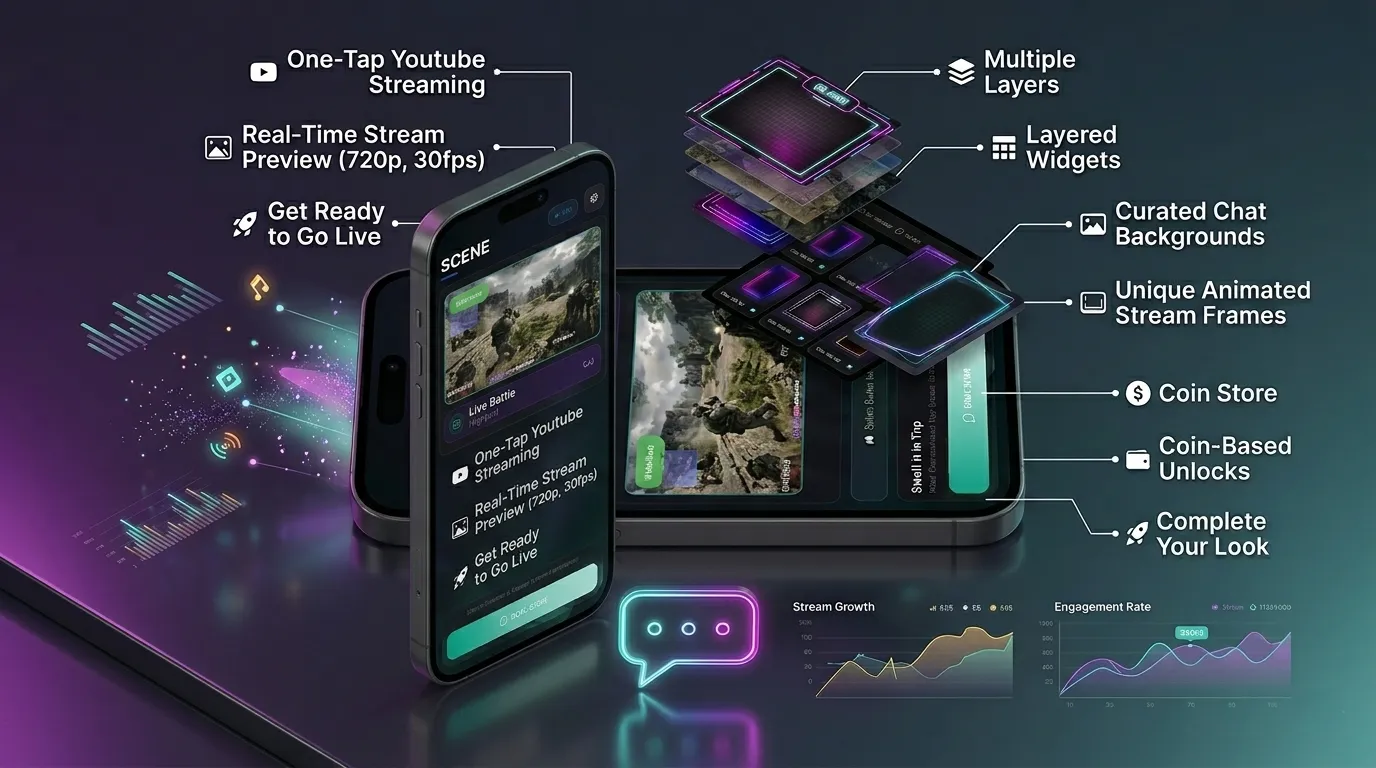
Go live on YouTube and Twitch at the same time from your phone. Scene is a mobile streaming studio with screen capture, face cam overlays, animated widgets, unified chat, and floating stream controls for gamers and creators.
Description
About this app
Scene – The Ultimate Mobile Live Streaming Studio
Scene is a powerful mobile live streaming studio that enables creators to broadcast to both YouTube and Twitch simultaneously without needing a laptop or desktop. Designed specifically for mobile content creators, it transforms your Android device into a complete streaming setup with screen capture, face camera overlays, custom scene layouts, animated widgets, and real-time audience engagement tools. Whether you stream BGMI, Free Fire Max, Genshin Impact, Minecraft, Mobile Legends, Call of Duty Mobile, or Clash of Clans, Scene brings professional streaming capabilities directly to your smartphone.
Go Live Across Multiple Platforms
With a single Google sign-in, you can connect your YouTube and Twitch accounts and start simulcasting instantly. Scene handles all the technical processes behind the scenes, including authentication, stream key management, broadcast creation, RTMP connectivity, and live chat integration.
Key features include:
- Simultaneous streaming to YouTube and Twitch
- Easy account connection with Google Sign-In
- Custom stream title, description, thumbnail, and category settings
- Privacy control options before going live
- Unified stream management from one app
Professional Scene Editor
Create unique and engaging stream layouts using Scene’s intuitive drag-and-drop editor. Every element can be customized to match your brand and content style, helping you maintain a consistent professional appearance across all broadcasts.
You can:
- Add screen capture and camera layers
- Use front or rear camera feeds
- Insert images from your gallery
- Apply colored backgrounds
- Add animated Lottie overlays
- Resize, rotate, reposition, and reorder elements
- Save layouts as reusable templates
The built-in mini scene map provides a real-time preview of your stream layout before broadcasting.
Advanced Screen Capture & Game Streaming
Scene is optimized for mobile gaming and high-performance screen capture. Stream gameplay smoothly while maintaining excellent video quality and low latency.
Supported capabilities:
- Screen capture up to 1080p resolution
- Adjustable bitrate and FPS settings
- Portrait and landscape streaming modes
- Optimized performance for mobile games
- Automatic detection and launch of installed games
Compatible titles include BGMI, PUBG Mobile, Free Fire, Call of Duty Mobile, Genshin Impact, eFootball PES, EA SPORTS FC Mobile, Marvel Snap, Ludo King, Chess.com, Lichess, Subway Surfers, and many more.
Interactive Widgets & Custom Overlays
Enhance your broadcasts with visually appealing widgets and overlays that make your stream more engaging and professional.
Available customization options:
- Animated alert widgets
- Stream frame borders
- Chat background designs
- Subscriber and donation notifications
- Custom overlay graphics
- Premium and free widget collections
Scene also features a dedicated Private Mode overlay that instantly hides your screen, making it easy to protect sensitive information while streaming live.
Floating Bubble Control Panel
During a live stream, Scene provides a movable floating control panel that keeps essential controls accessible without interrupting gameplay.
Through the floating bubble, you can:
- Toggle microphone access
- Mute device audio
- Pause or resume the stream
- Enable or disable the camera
- Activate Private Mode
- Open unified chat
- Adjust stream settings
- End the broadcast
The panel also displays real-time statistics such as upload speed, stream quality, stream duration, and combined viewer counts.
Unified YouTube & Twitch Chat
Managing multiple audiences becomes effortless with Scene’s unified chat system. Messages from both YouTube and Twitch appear in a single interface, allowing creators to interact with all viewers without switching between apps.
Benefits include:
- Combined YouTube and Twitch chats
- Real-time message updates
- Fullscreen chat mode
- Minimized overlay option while gaming
- Easier audience engagement and moderation
Flexible Audio Control
Scene provides complete control over your stream’s audio setup. Select your preferred audio source before going live and make adjustments anytime during the broadcast.
Audio options include:
- Microphone only
- Device audio only
- Microphone and device audio together
- No audio output
The platform also supports advanced multi-channel audio mixing for a more professional listening experience.
Monetization & Premium Content
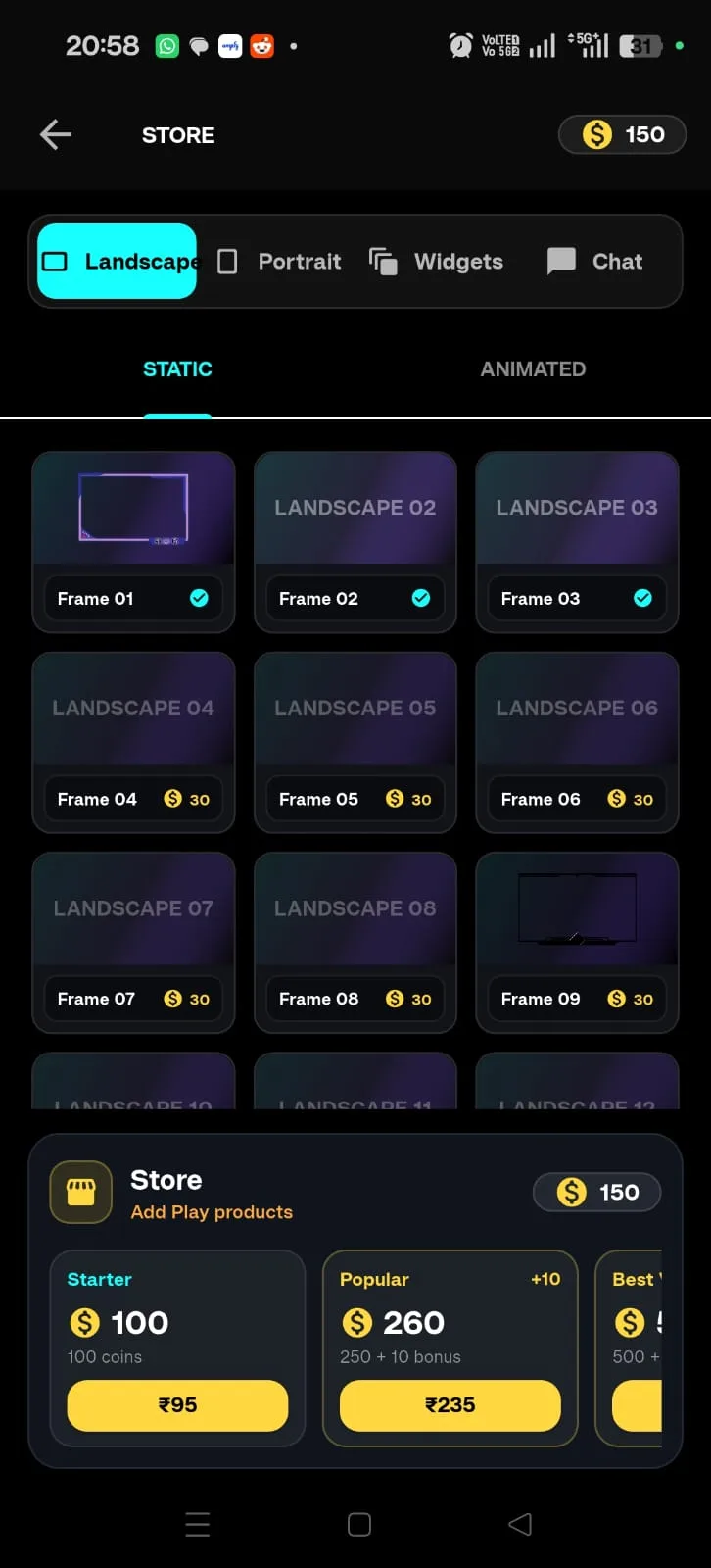
Scene features an integrated wallet and coin system that allows users to unlock premium streaming assets and customization options.
Premium content includes:
- Animated stream frames
- Widget packs
- Chat background themes
- Overlay templates
- Exclusive visual effects
Purchases are synchronized through Firebase, ensuring your unlocked content remains accessible across devices.
High-Quality Streaming Performance
For creators who want maximum control over stream quality, Scene offers advanced encoding and performance settings.
Available options:
- Hardware and software encoding
- Adjustable keyframe intervals
- Low latency mode
- Adaptive bitrate streaming
- Stretch-to-fill support
- 1080p, 720p, and 480p resolutions
- Portrait and landscape broadcasting
A live performance dashboard provides continuous monitoring of upload speed and stream quality, helping you maintain a stable and professional broadcast experience.
Why Choose Scene?
Scene combines powerful streaming technology, professional customization tools, audience interaction features, and multi-platform broadcasting into a single mobile application. From casual gamers to professional creators, it provides everything needed to produce high-quality live streams directly from an Android device—without requiring a PC.
Live streaming app, YouTube Live streamer, Twitch mobile stream, simulcast streaming, multi-stream app, RTMP streamer, mobile game streaming, screen recorder with face cam, BGMI live stream, Free Fire streamer, Genshin Impact mobile stream, gaming overlay app, stream widgets, floating controls, live chat overlay, streaming studio for Android, mobile creator tools, portrait live stream, landscape game stream, coin wallet system, streaming templates.
What's New: Initial release of Scene — go live on YouTube and Twitch simultaneously with custom overlays, screen capture, face cam, and floating bubble controls.
Highlights
Key features
Polished UX
Tactile controls and responsive layouts built for every screen size.
Fast Loading
Optimised assets and buttery smooth 60fps transitions.
Offline Mode
Play anywhere — no internet required for core gameplay.
Secure & Private
No data sold. Full privacy policy and GDPR compliant.
Crafted by Xenex Studio
Built with precision, shipped with care
Every app we build is designed with clean interaction, responsive performance, and thoughtful detail from first layout to final deployment.